Harmonium
GameGMusic
4.4141.00 Reviews
- Version
- Varies With Device
- Installs
- 10.00M
- Age Rating
- Everyone
Screenshots
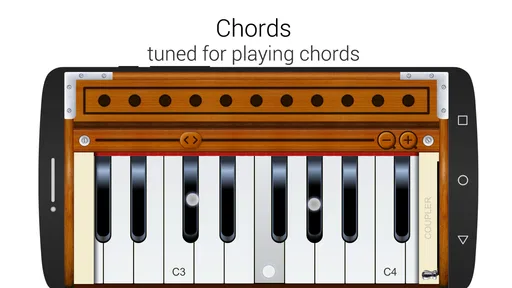
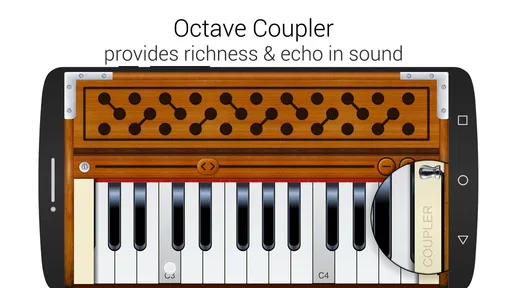
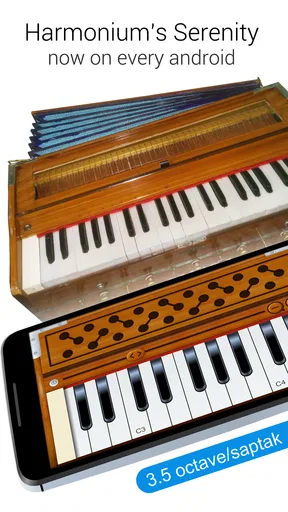
Our Review of Harmonium
 Analysis by Appyee
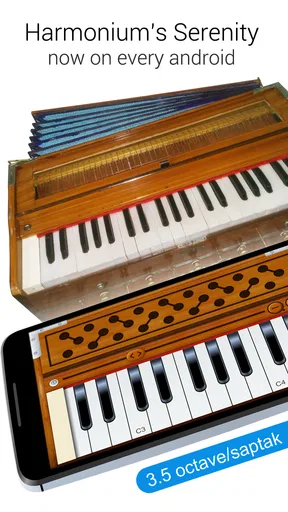
I approached Harmonium as a practical music app rather than expecting it to replace a physical instrument. It is a free game in the music category from GameG, built around an on-screen harmonium with 88 keys and a range described as 7.3 saptak octaves. That makes its appeal fairly clear: it gives curious beginners, singers, students, and harmonium players a quick way to explore notes without carrying an instrument.
My first impression was that the app is easiest to judge by asking what you want from a mobile keyboard. If you need a fast practice surface, a way to check a melody, or something musical to use during a spare moment, this format makes sense. If you expect a complete recording studio, detailed lessons, or the physical response of bellows and wooden keys, you should set more modest expectations before installing it.
How to Decide Whether This Harmonium Fits You
The most important question is not whether a phone can display many keys. It is whether an on-screen harmonium matches the way you intend to play. For short melodic ideas, note recognition, and casual experimentation, touch controls are convenient. I can open the app, find a pitch, and test a phrase without preparing a room or disturbing anyone with a full-size instrument.
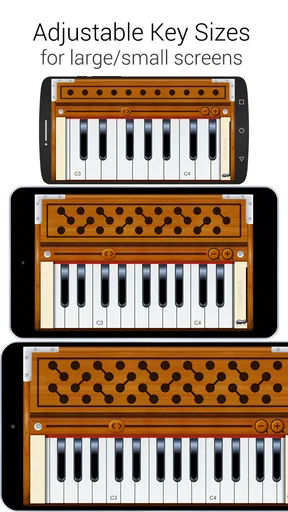
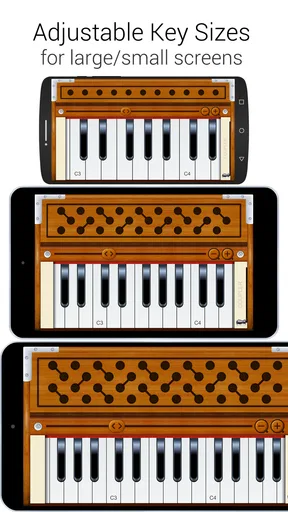
The stated 88-key layout also matters. A broad keyboard is useful when a melody moves beyond a small central range, and it gives learners a clearer sense of how notes are arranged. At the same time, a wide keyboard on a phone can become a compromise: you may need to scroll, adjust your hand position, or work with keys that are smaller than those on a real harmonium. The larger range is valuable, but it does not automatically make every note comfortable to reach.
I would also consider your experience level. A complete beginner may enjoy tapping individual notes and gradually identifying patterns. Someone already comfortable with harmonium technique may use the app as a reference or an always-available sketchpad. A serious performer, however, will probably notice the missing physical relationship between bellows, pressure, key travel, and sustained tone. Those are not minor details in harmonium playing; they shape expression.
There is another practical question: do you want an instrument or a game-like way to interact with music? The app is classified as a game, but its central value for me is instrumental experimentation. That distinction helps avoid disappointment. I would choose it for musical play and quick access, not as a substitute for structured education or a complete digital audio workstation.
A Useful Pocket Instrument for Small Musical Tasks
One realistic everyday use is checking a tune while away from home. Imagine hearing a line in your head on a bus or remembering the opening of a song while waiting for an appointment. Instead of trying to hum it repeatedly, you can use the keyboard to locate the notes and see whether the melody rises or falls as you remember it. That simple process can turn a vague idea into something you can practice later on a real instrument.
I also found the format suitable for singers who want a pitch reference. A vocalist can tap a starting note, sing a phrase, and return to the keyboard to check the next point. It is not the same as working with a teacher, but it can make private practice more deliberate. The important habit is to use the keys as a guide rather than repeatedly tapping until a note happens to sound right.
For parents or teachers introducing basic musical ideas, the visual keyboard can be less intimidating than a full harmonium. A child can explore high and low sounds, repeat a short pattern, and begin noticing that nearby keys create related movement. Because the content rating is Everyone, it is positioned for broad access, although younger users may still need supervision if the device is shared or purchases are available.
Another useful scenario is composing a rough melody. I would not treat the app as the final place to arrange a song, but it can help capture the contour of an idea. I can play a phrase, remember its sequence, and then write the notes down or transfer the concept to a more capable tool. The strength here is immediacy: the app removes the delay between having an idea and testing it.
Three Ways to Get More from the Keyboard
My first practical tip is to begin with a small musical problem instead of randomly tapping across the full layout. Choose four or five notes and create a short pattern. Repeat it slowly, then alter only the final note. This makes the keyboard useful for learning intervals and phrasing, while random exploration often becomes noise without much progress.
Second, use the wide range as a navigation exercise. Rather than staying in the most familiar middle area, locate the same melodic shape at a higher or lower position. This helps you understand that a tune can keep its basic relationship between notes even when its register changes. It is a better use of the 7.3-saptak range than simply showing off how many keys are available.
Third, treat the app as a preparation tool before touching a physical harmonium. Work out the order of notes on the phone, then use the real instrument to refine timing, pressure, and tone. This two-stage workflow saves time when you are trying to remember a melody. It also makes the limitation of the mobile version useful: the app handles note discovery, while the physical instrument handles expression.
A fourth tip is to keep your sessions focused. On a touchscreen, long practice can become tiring because the device does not provide the same tactile landmarks as a real keyboard. Short exercises with a clear goal are more productive than attempting an extended performance. If you are learning a song, isolate one phrase, identify its movement, and stop once you can reproduce that phrase reliably.
Where the App Wins, and Where Another Tool May Fit Better
The clearest advantage is accessibility. A physical harmonium takes space, costs money, and is not something most people can carry everywhere. This app is free to start, so it lowers the barrier for anyone who wants to test the idea of playing before committing to an instrument. GameG has also made something that can appeal to both casual users and people who already understand the basic layout.
Its broad keyboard is another strong point. Many simple mobile music tools focus on a narrow collection of notes because small screens demand it. Here, the stated 88 keys and 7.3 saptak octaves give the app a more ambitious range. That makes it more suitable for melodies that do not fit comfortably inside a tiny keyboard, provided you are willing to manage the screen and your hand position.
The app also works well as a low-pressure entry point. There is no need to know musical notation before trying a note sequence. I can begin by listening, copying a short sound pattern, and gradually attaching names or positions to what I hear. For a friend who is curious about harmonium but unsure whether to buy one, this is a sensible first experiment.
Still, alternatives become more attractive when your goal changes. A dedicated piano or keyboard-learning app may be better if you want guided lessons, visual exercises, or a curriculum. A digital audio workstation is the stronger choice if you need multitrack recording, editing, effects, or arranged compositions. A harmonium simulator focused on realistic performance controls may suit an experienced player better, assuming those controls are central to your needs.
A physical harmonium remains the better option for learning technique. Touching a screen does not teach the coordination needed to control air, sustain, articulation, and volume on the instrument itself. Even if the notes are correct, the physical experience is fundamentally different. I would not recommend relying on this app alone for someone preparing to perform on stage or accompany devotional singing.
There is also a screen-size trade-off. On a tablet, a broad keyboard may feel more manageable. On a smaller phone, the same number of keys can turn navigation into the main challenge. If you frequently miss a key or lose your position, the app stops being a musical aid and becomes a test of touch accuracy. In that situation, a narrower keyboard with easier controls may actually be more useful, even if it offers fewer notes.
What the Free Entry Really Means
The app is free, which makes trying it straightforward. There are in-app purchases listed at $4.99 per item, so I would pay attention to any purchase prompt and decide whether the basic experience already covers your needs. The sensible approach is to use the free access for a real task—finding a melody, practicing a scale-like pattern, or testing the layout—before spending anything.
This is also where the cost of switching matters. If you later move to a physical harmonium, the mobile practice is not wasted, because it can help you learn note relationships and decide whether the instrument interests you. If you move to a lesson-based app, the habits of listening carefully and isolating short phrases will transfer. What will not transfer directly is the physical technique, so do not postpone hands-on practice if that is your actual goal.
The app has been available since August 9, 2017, and its audience has grown to over ten million installs. It carries an average rating of 4.4 from around sixty-four thousand ratings, with 141 written reviews listed. Those figures suggest that the concept has reached a substantial audience, but I would still judge it by the fit between its keyboard approach and your own use case rather than treating popularity as proof that it replaces every alternative.
For families, the Everyone age rating is reassuring as a general classification, but it should not be confused with a promise that every interaction will suit every child. I would still explain that the app is for exploring sound rather than endlessly tapping. For adults, the rating simply confirms that the concept is broadly accessible and not aimed at a restricted audience.
The Friction You Notice After the First Session
The biggest limitation is the gap between visual access and physical control. A screen can show many keys, but it cannot give the same resistance, spacing, or muscle memory as a real instrument. This affects speed and accuracy. A player who wants to develop confident finger technique may find the app useful for note ideas but unsatisfying for sustained practice.
Another limitation is that a large range can create a navigation burden. When the keyboard extends beyond what fits naturally on the display, the player has to think about location as well as music. That is manageable for a short phrase, but it can interrupt concentration during a longer passage. I recommend prioritizing accuracy over speed and using a fixed starting area whenever possible.
I would also skip this app if your main requirement is a complete learning path. It may help you explore, but exploration is not the same as instruction. Without a personal practice plan, it is easy to spend time playing isolated notes without improving rhythm, ear training, or technique. Someone who needs accountability should look toward lessons, a teacher, or a structured music-learning product.
Likewise, performers should be cautious. A phone keyboard is convenient as a backup idea pad, but convenience does not equal stage readiness. If you need dependable expressive control, comfortable sustained playing, or an instrument that responds naturally to your hands, a physical harmonium or a more specialized controller is the better investment.
My Recommendation for Different Kinds of Players
I recommend Harmonium to beginners who want a friendly way to investigate the instrument, singers who need a quick pitch reference, and casual musicians who like testing melodies wherever they are. It is especially appealing if you are not ready to buy or store a physical harmonium. The free starting point makes the decision low risk, while the broad keyboard gives you room to explore beyond a tiny beginner layout.
I also recommend it as a companion rather than a replacement. Use it to sketch a tune, identify a starting note, practice a short sequence, or prepare before sitting at a real instrument. That is where I think it delivers the most value. The app becomes part of a workflow instead of being asked to do everything.
I would skip it if you want guided courses, professional recording, realistic bellows control, or serious performance practice. In those cases, choose the category of tool that matches the job: lessons for instruction, a workstation for production, or a physical instrument for technique. The wrong expectation is the main source of frustration here, not the basic idea of a mobile harmonium.
After using it as a compact musical workspace, my view is positive but measured. GameG’s app is a convenient way to put a large harmonium-style keyboard in reach, and its popularity reflects a clear demand for that convenience. Its best role is quick musical discovery, not complete harmonium training. If that distinction matches what you need, the free download is worth trying; if you want authentic playing mechanics, move to a real instrument sooner rather than later.
Verdict
Strengths of Harmonium
- Realistic instrument sounds make practice feel more natural.
- Simple touch controls are easy for beginners to understand.
- Useful for learning melodies, chords, and basic music theory.
- Works well for quick practice sessions on a mobile device.
- Compact design makes it convenient to use anywhere.
Limitations of Harmonium
- Small keys can feel cramped, especially on smaller phone screens.
- Advanced musicians may find the available features too limited.
- Touch input lacks the response of a physical harmonium keyboard.
- Long sessions may drain the battery or cause device heating.
- Sound quality depends heavily on your phone or tablet speakers.
Similar Picks in This Category
View All
Tiles Hop Music & Ball Game
AMANOTES PTE. LTD.4.3

Magic Tiles 3™ - Piano Game
AMANOTES PTE. LTD.4.6

Real Piano
Bilkon3.7

Piano Game: Classic Music Song
Dream Tiles Piano Game Studio4.0

Smash Colors: Music Ball Rush
BADSNOWBALL HONGKONG LIMITED4.2

Piano Music Go-EDM Piano Games
Joy Journey Music Games4.5
Frequently Asked Questions
What is Harmonium, and what can I use it for?
Harmonium is a digital instrument app designed to let you play and practice harmonium-style sounds on a mobile device. It typically provides a touch keyboard, drone or accompaniment options, and controls for changing the sound. It can be useful for beginners learning notes, musicians practicing melodies, or anyone interested in experimenting with Indian devotional and classical music sounds.
Is Harmonium suitable for beginners with no musical experience?
Yes, Harmonium can be approachable for beginners because the virtual keyboard allows you to start playing immediately without owning a physical instrument. You can explore individual notes, repeat simple melodies, and gradually become familiar with scales and rhythm. However, the app may not replace structured lessons, especially if you want to learn proper fingering, notation, or advanced harmonium techniques.
Does Harmonium work without an internet connection?
Many of the core playing features in Harmonium can generally be used offline once the app has been installed, which is convenient for practice while traveling or in areas with limited connectivity. Nevertheless, certain functions may depend on an internet connection, including advertisements, updates, external links, or optional online content. It is best to open the app once online after installation and test the features you plan to use.
Does Harmonium include realistic sound and useful practice controls?
The app is intended to provide a convenient approximation of a harmonium through your phone or tablet speaker. Sound quality will depend on the device, headphones, and the app’s available settings. Some versions may include octave selection, sustained notes, drone sounds, or recording-related tools. These features are helpful for casual practice, although the response and tonal depth will not be identical to a full-size acoustic harmonium.
Is Harmonium free to download, and are there advertisements or in-app purchases?
Harmonium may be available as a free download, but the exact business model can vary by platform and app version. Free editions commonly contain advertisements, while some features may require an in-app purchase or a premium version. Before downloading, check the Google Play Store or App Store listing for current pricing, permissions, subscription details, and whether advertising can be removed.
Play our best games!


